
Most filtering of unsolicited automated email (also known as spam or junk mail) is handled by a spam filter before those email messages reach your Inbox.
Email that might possibly be junk mail, but is not certain to be junk, is placed in your Junk folder. You can review these messages and either move them out of the Junk folder or delete them. If you do not move or delete the messages, they are purged after 30 days.
Some unwanted messages may not be fully categorized as spam and are not placed in the Junk folder (ie. weekly newsletters and advertisements from legitimate companies). The best way to handle unwanted mail from legitimate senders is to unsubscribe from the mailing list.
If you are receiving many unwanted email messages, contact your administrator. Reporting email as spam helps your email administrator to fine-tune spam filtering.
Mark Email as Spam
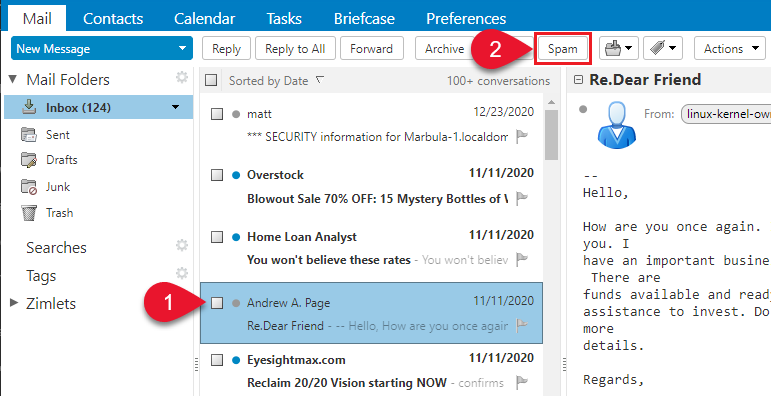
- Select the message to mark as junk.
- On the toolbar, select Spam.

Mark Email as Not Spam
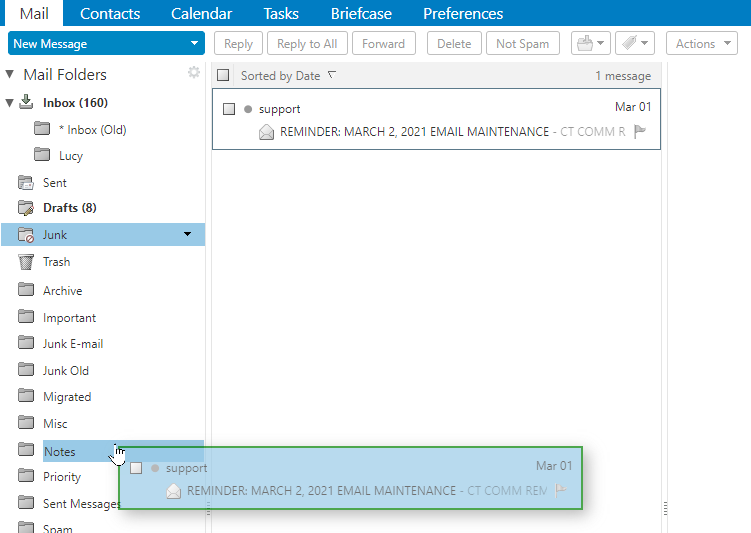
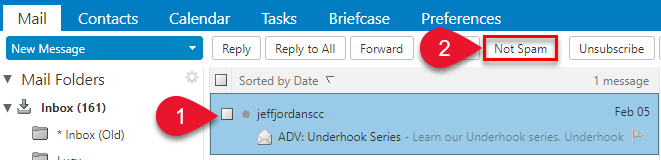
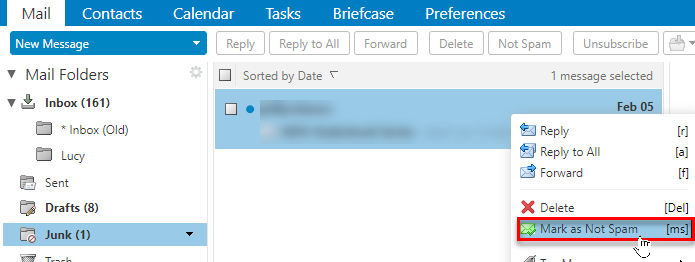
Sometimes messages that are not junk are placed in the Junk folder. You can move the messages to the appropriate folder in a number of ways: Drag the message to another folder, Select message and click Not Spam, or Right-clicking the message and selecting Mark as Not Spam.
- Drag the message to another folder.
- Select the message and click Not Spam on the tool bar
- Right-click the message and select Mark as Not Spam. The selected message moves to your Inbox.
A confirmation message appears at the top relaying the number of messages marked as not spam
Using the Unsubscribe Button
A message with the correct unsubscribe information that is not in the Junk folder will display an unsubscribe button in the action bar of the webmail interface.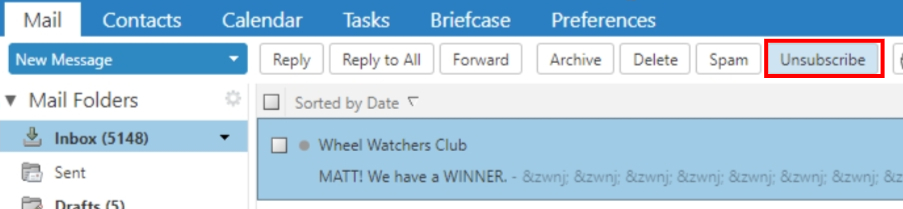
Selecting the button will present a small banner notification above the menu bar indicating unsubscribe has been requested.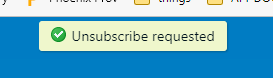
Only one message can be unsubscribed from at a time. When unsubscribe is requested, the server initiates the call to the unsubscribe information from the sender, so there is no danger from the customer opening the message and visiting a third party site.
This feature is only available in the “Advanced (AJAX)” webmail view.
Empty the Junk Folder
The contents of the Junk folder are automatically purged after an administration-configured number of days. You can empty your Junk folder any time.
- Right-click the Junk folder and select Empty Junk.
- Click OK.